
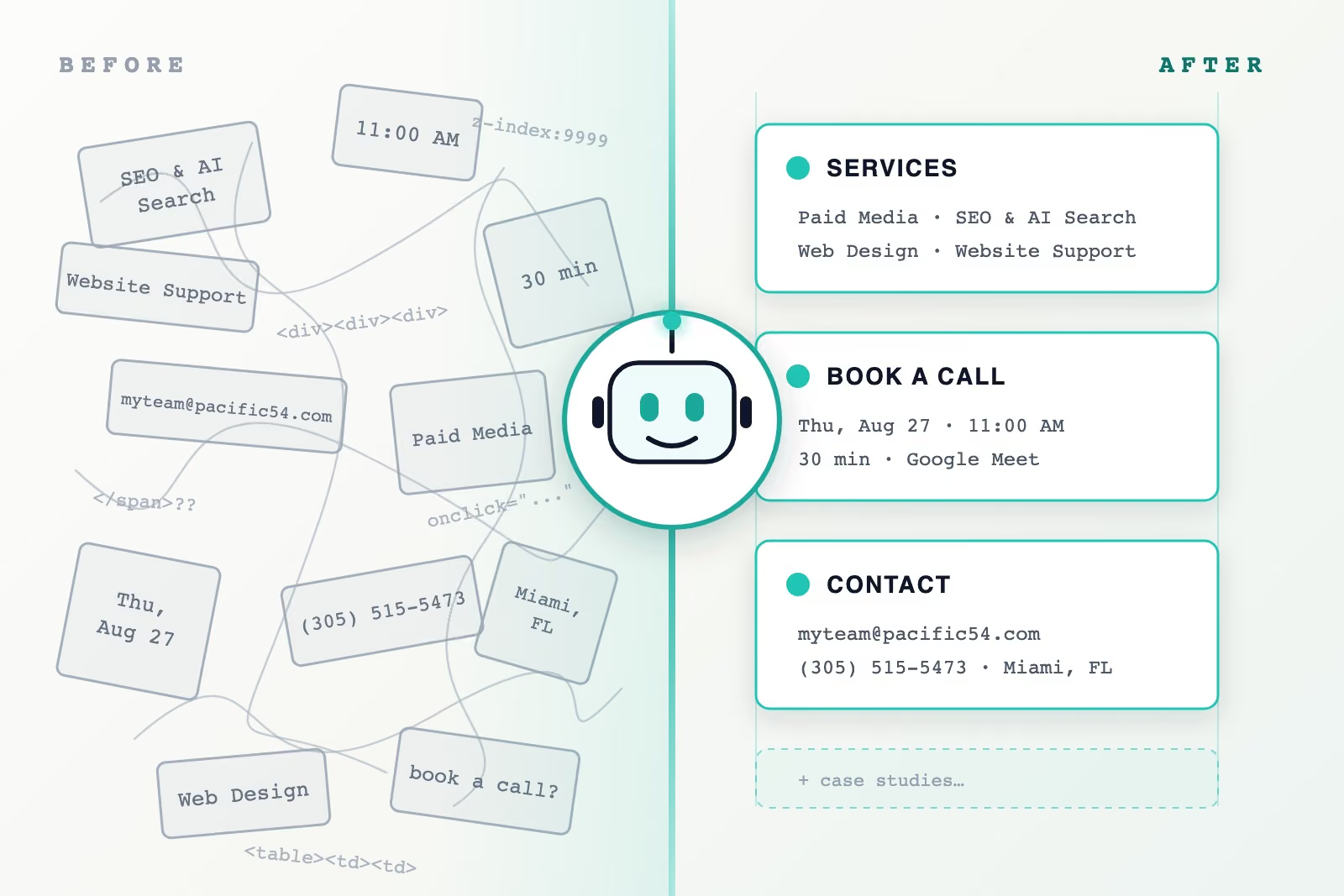
WebMCP is a proposed web standard that lets a website declare its capabilities as tools an AI agent can call directly, instead of guessing its way through the page. Google announced it with an origin trial in Chrome, the industry immediately produced a wave of commentary, and most of it was written by people who had not implemented it. So we implemented it — on our own site, before recommending it to anyone else. This is what we learned, including the parts the documentation doesn’t mention.
The problem it solves
When an AI agent uses a website today, it does what Google calls actuation: it reads the page and simulates a human — moving a cursor, clicking buttons, typing into fields. This works about as well as you would expect. Every custom widget is a puzzle, every layout change breaks yesterday’s solution, and the agent can never be quite sure the thing it clicked did the thing it wanted.
WebMCP replaces guessing with declaring. A page registers named tools — book_appointment, filter_results, get_services — each with a typed schema saying exactly what inputs it takes. An agent working in that browser discovers the tools, calls them with structured data, and gets structured answers back. The site stops being a picture an agent squints at and becomes an interface it can use.
What we actually built
Our site now registers four tools. Every page carries two read-only ones: get_services and get_case_studies, which return what we do and what we’ve done, generated at build time from the same content that renders the pages — so they can never drift from what a human visitor sees. The booking page adds get_available_call_times, which serves our live calendar, and book_discovery_call, which wraps our real scheduling flow.
The whole build took about a day, and none of it changed anything for human visitors. Browsers without the API pay no cost at all. That ratio — one day, zero disruption — is worth knowing, because it means the sensible question isn’t whether this is worth a big project. It isn’t a big project.
The two things that surprised us
The audit before the build taught us more than the build itself.
Our spam trap would have eaten every agent submission. Like most sites, our booking form contains a honeypot: a field humans never see, which anything automated tends to fill in. Submissions that touch it are silently discarded. That is exactly correct behavior against spam bots — and exactly wrong against a legitimate prospect’s agent trying to book a call on their behalf. The uncomfortable part is the silence: the agent believes it booked, the visitor believes they booked, and nothing happened. WebMCP resolves the conflict cleanly. The tool is the defined door for legitimate automation; the trap stays armed for everything that comes in through the wall.
Our topic dropdown was invisible. Our form’s “what is this call about?” picker is a custom-built dropdown — better-looking and more accessible for humans than a native one, and completely opaque to automation, since its value lives in a hidden field no agent could reliably set. The fix we settled on is one we’d now recommend as a pattern: the booking tool reads its list of valid topics out of the real form at page load and publishes them as constraints in its schema. One source of truth; the human interface and the agent interface cannot drift apart.
The rule we’d urge anyone to copy
Booking a call sends emails and writes to calendars, which makes it what the standard politely calls a sensitive action. Google’s guidance is that these should require user interaction, and we’d put it more strongly: an agent should never be able to complete a consequential action silently. On our site, book_discovery_call assembles everything, then stops and asks the actual human — a confirmation dialog naming the time, the name, and the email about to be sent. The agent does the typing. The person still decides.
If WebMCP adoption goes wrong anywhere, it will be sites skipping this step for conversion’s sake. Don’t.
What this doesn’t do, stated plainly
There is almost no agent traffic today. The API sits behind an origin trial; mainstream consumer agents that call WebMCP tools are not yet shipping; nobody’s analytics show a meaningful “AI agent” segment. Implementing WebMCP this quarter will not move your numbers this quarter, and anyone selling it as a traffic lever is early by at least a product cycle.
It also isn’t AI search optimization. Whether AI Overviews or ChatGPT cite you is decided by retrieval and trust — the fundamentals we covered in our guide to generative engine optimization and in how AI Overviews choose the sources they cite — not by tools on your pages. WebMCP is about the visit after the citation: when software arrives to do something. (For the prior question of how models learn who you are at all, see LLM SEO.)
So why build now? Because the standard is arriving through the browser itself, not through a vendor you can evaluate later; because the build is a day, not a quarter; and because the audit that precedes it — can an agent actually complete your most valuable action? — finds problems worth fixing regardless, as our honeypot proved.
If you run a website, in order
Now: make sure the fundamentals hold — semantic markup, structured data, and a hard look at whether your critical form is silently hostile to automation. Add an llms.txt file; it costs an hour and serves today’s AI systems, not tomorrow’s.
Soon: if your business runs on a bookable, orderable, or quotable action, plan the WebMCP version of that action — one tool, with a confirmation step — so you’re implementing from a plan when agent traffic becomes real rather than reacting to it.
Watch for: WebMCP graduating from origin trial to stable Chrome, and the first consumer agents that call site tools. Either event is the signal to ship.
Epilogue: a real assistant tested us the next day
The day after this shipped, we asked a popular AI assistant a simple question: can you book a meeting on pacific54.com? It answered confidently that our booking calendar was broken, and quoted our own error message as proof.
The calendar was fine. That assistant reads pages from a server without running JavaScript, and our scheduler’s HTML — like most JavaScript apps — ships with every state present in the markup, including a hidden “couldn’t load” fallback that only ever displays if something actually fails. The assistant’s text extractor read the hidden panel and reported it as the live page. A visitor in a browser saw a working calendar; a machine reading the raw HTML saw a failure that never happened.
The fix took twenty minutes and is worth copying. We reworded the fallback so it reads as conditional rather than declarative — “if times don’t load” instead of “we could not load” — and we published the availability itself as plain JSON at a stable URL, pointed to from our llms.txt and from a noscript note on the booking page, with the booking link included in the data so an assistant can hand its user somewhere to go.
Then we asked the same assistant again. This time it listed our real open slots, day by day, confirmed the calendar integration was healthy, and added — accurately — that completing the booking itself would need an agentic browser session it didn’t have. Which is the entire thesis of this post in one anecdote: assistants that read need your data published where reading works. Agents that act need tools. We now serve both, and the difference between “your site is broken” and “here are their open Thursday slots” was one day of making the machine-readable path exist.
Postscript: our own tools went dark and nothing told us
A week after publishing, we checked our own implementation on current Chrome and found it registering nothing at all. No error, no warning, no failed request. The tools had simply stopped existing.
Two things had happened, and both are worth knowing before you build this.
Chrome moved the API and we did not notice. Registration lives on document.modelContext now. It used to be navigator.modelContext, which survived for a while as an alias and then went away. Our code checked the old name, found nothing, and did what it was written to do: nothing, quietly, because a browser without WebMCP is supposed to cost the visitor nothing. That is the right behavior for an unsupported browser and precisely the wrong behavior for a renamed one, and the two are indistinguishable from the outside. Our booking tools were absent from every current-Chrome session for days and every check we had said the site was healthy.
The lesson is not “read the changelog.” It is that a silent feature detect is a bad place to be wrong. If you ship WebMCP, verify registration the way you would verify a payment webhook: check that the tools are actually there, on the actual browser, on a schedule. await document.modelContext.getTools() in a console takes five seconds and is the only thing that would have caught this.
Most agents cannot see your tools yet, even when everything works. While the API is in origin trial, it is gated per origin by a token the site serves. Chrome’s extension documentation is explicit that origin trials for web features are not active inside a content script, which is where browser-extension agents run. So an extension-based assistant on your site will find no tools and can reasonably conclude you registered none, while a console on the same page in the same browser lists them all. One told us exactly that this week. It was testing the old property name, on a surface where the new one would have been invisible to it anyway, and it was wrong about our site for two independent reasons at once.
This narrows the real audience for WebMCP tools during the trial more than the announcements suggest. Your tools are reachable by the browser’s own agent surfaces, and not by the extension-based assistants most people actually have installed. That is a temporary condition and it will lift when the API ships in stable Chrome. It is also the honest answer to “who can call this today,” and it is a shorter list than it looks.
Neither of these is a reason not to build it. The prerequisites we described above (published availability, an agent-safe path through the spam trap, one source of truth for form options) paid for themselves regardless of who calls the tools. But they are the difference between believing you shipped agent support and having shipped it.
We’ll keep publishing what we learn from ours as real agents start arriving. And if you’d rather someone who has already done this looked at your site, that is literally our job.